Policy
Why Google Play Rejects Apps for Policy Issues (and How to Fix Them)
Learn the most common Google Play policy rejection reasons — privacy, Data safety, permissions, listings, and restricted content — plus a clear fix-and-resubmit checklist.
Google Play rejects apps for policy issues when the store listing, declarations, permissions, or in-app behavior do not match Play’s rules — even if the binary installs and the closed testing window looks fine. Policy review is separate from the twelve opted-in testers for fourteen days requirement. A clean test count does not forgive a broken privacy policy, inaccurate Data safety answers, or screenshots that overpromise.
This guide explains the policy rejection reasons indie Android teams hit most often, how to diagnose each one in Play Console, and how to fix and resubmit without burning another launch week. Pair it with Google Play policy updates for closed testing and production access denied if your issue sits at the production-access gate.
Policy rejection vs quality rejection
Quality rejections focus on crashes, broken login, or unusable core flows. Policy rejections focus on trust and compliance: what you collect, what you claim, who can use the app, and whether restricted categories follow extra rules.
Read the Play Console message carefully. If Google cites User Data, Deceptive Behavior, Permissions, Families, or Financial Services, treat it as a policy problem first — not a vague “make the app better” note. Screenshot the exact wording before you start changing code.
- Quality: crashes, ANRs, broken onboarding, missing demo accounts.
- Policy: privacy, Data safety, permissions, misleading metadata, restricted content.
- Production access denials can mix both — fix the cited items, then strengthen testing evidence.
1. Privacy policy and Data safety mismatches
The most common policy loop starts here. Your privacy policy URL must load on mobile, match what the app actually does, and agree with Data safety answers for analytics, ads, auth, crash tools, and any backend logging.
Mismatches appear when you add an SDK and forget to update declarations, when the policy still says “we do not collect location” after you ship maps, or when the in-app privacy link 404s. Reviewers and automated checks compare form answers to SDK behavior — not to your intentions.
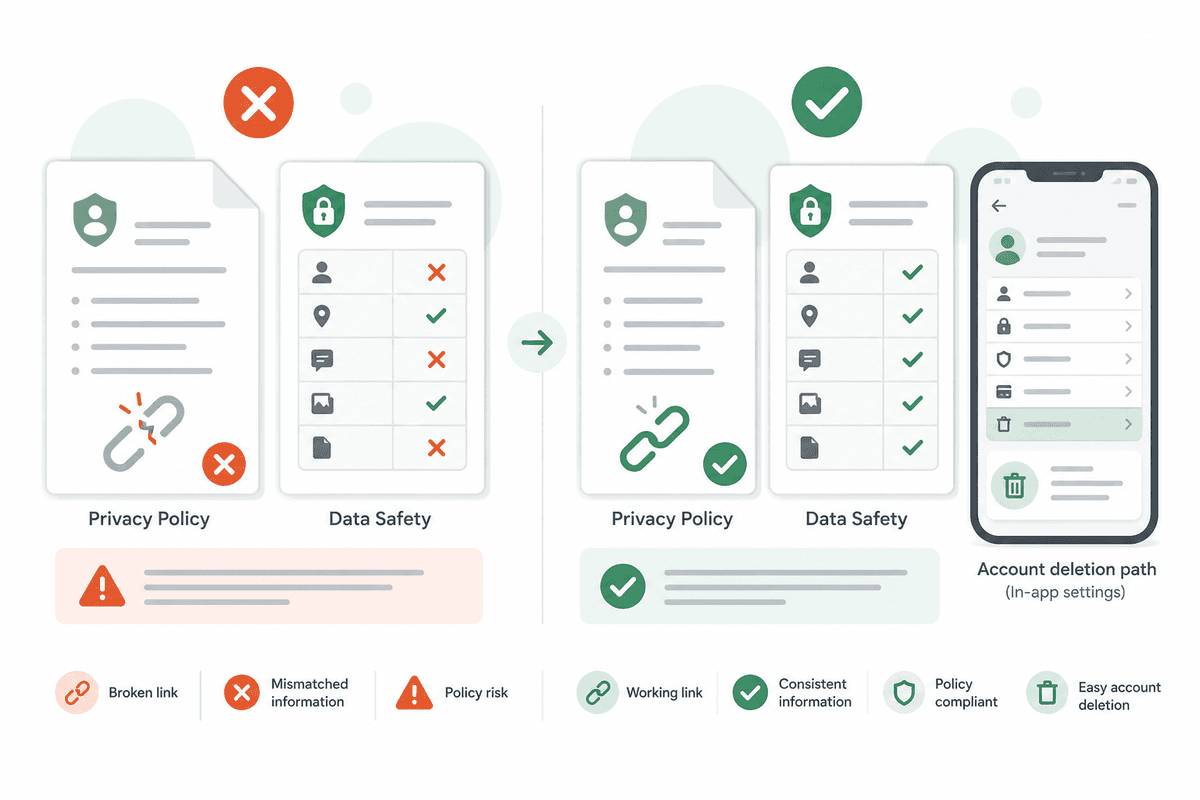
- Open the privacy policy on a phone browser and from inside the app.
- List every third-party SDK that touches personal or device data.
- Rewrite Data safety answers to match that list — not last quarter’s build.
- If accounts exist, verify account deletion end-to-end and document the path in App content.
2. Permission misuse and missing disclosures
Requesting location, camera, microphone, SMS, contacts, or health data without a clear in-app purpose is a frequent rejection trigger. Background location without an obvious user benefit is especially risky.
Ask for permissions in context — when the user taps a feature that needs them — and show a prominent disclosure before the system dialog. If the user denies, the app should still work for features that do not need that permission.
- Remove unused permission declarations from the manifest.
- Add in-app rationale copy that matches Play Console and policy text.
- Test accept and deny paths on a clean install.
- Document why each sensitive permission is required in review notes when helpful.
3. Misleading store listings and deceptive behavior
Screenshots, titles, and descriptions must represent the current build. Showing unpaid features as included, previewing screens that do not exist, or implying certifications you do not have creates a deceptive-behavior problem.
Treat the listing as part of QA. When you remove a feature, update screenshots before you submit. When closed testing finds that onboarding differs from the store page, fix the page or the flow before production access.
4. Restricted categories and user-generated content
Health, finance, gambling, children/Families, and apps with chat or posts carry extra rules. User-generated content usually needs reporting, blocking, and moderation paths. Children’s apps need age-appropriate design and stricter data practices.
If your category changed as the product evolved — for example a productivity tool that added social posts — re-read the category policies before the next submission. A feature that felt optional to you can become the reason Google rejects the whole app.
How to resolve a policy rejection step by step
Do not resubmit the same build with a polite apology. Reproduce the issue, fix the root cause, retest on a clean install, update Console declarations and listing assets, then explain the change in review notes.
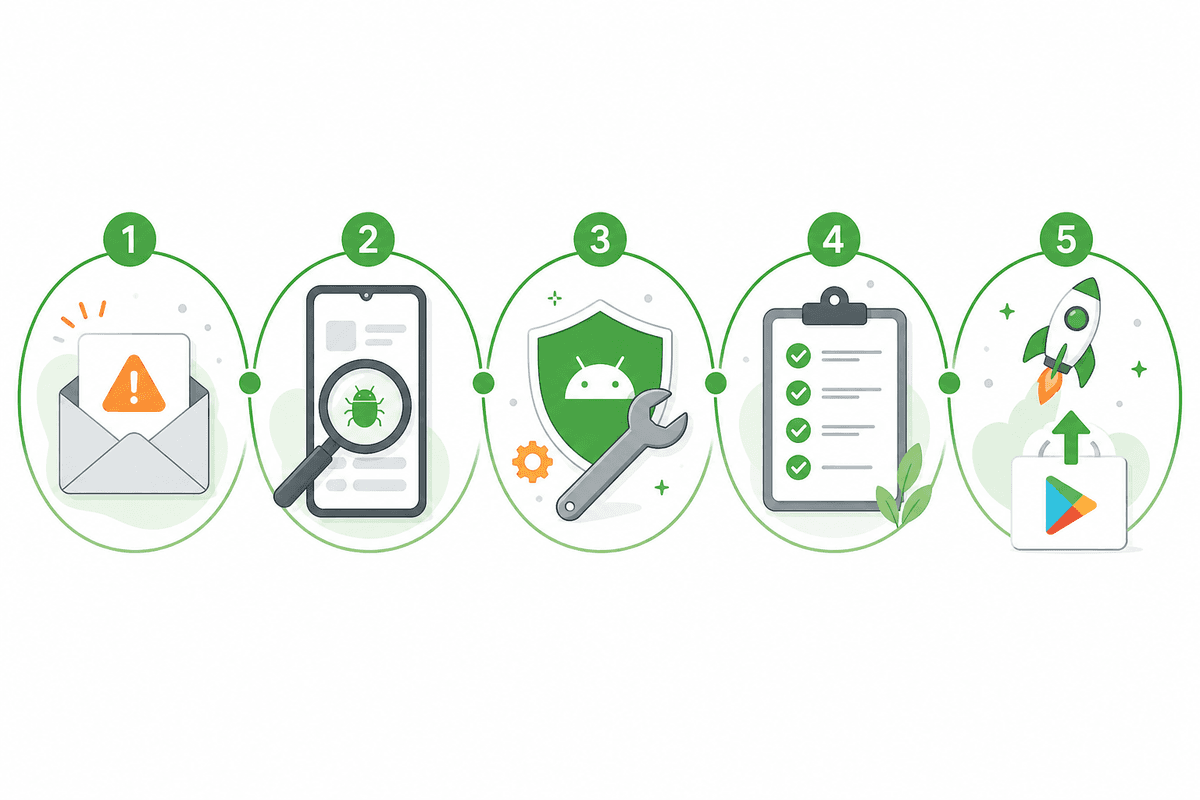
- Copy the exact policy citation and any example Google gave.
- Reproduce on a device with no cached login or old APK.
- Fix code, copy, permissions, Data safety, and listing assets in one coordinated change set.
- Have at least two people outside the feature team verify the fix.
- Resubmit with notes: what was wrong, what changed, where to tap to confirm.
Use closed testing to catch policy issues early
Bake policy scenarios into your closed testing brief: open privacy policy, deny a permission, complete account deletion, attempt a purchase if monetized, and report UGC if applicable. Real testers on real devices catch broken links and confusing disclosures before Google does.
If recruitment or coordination is the bottleneck, a managed 12-testers-for-14-days run keeps the compliance window healthy while you focus on policy and quality fixes. See the closed testing playbook for timing around mid-window updates.
Get 12 testers for 14 daysKeep closed testing compliant while you fix policy and quality blockers.Pre-submit policy checklist
Run this list before every production or production-access submission. Most policy loops come from skipping one item after a late SDK or listing change.
- Privacy policy URL works on mobile and from in-app settings.
- Data safety matches current SDKs and collection behavior.
- Account deletion works if users can create accounts.
- Sensitive permissions have in-app disclosure and a deny path.
- Screenshots and description match the shipped build.
- UGC reporting/moderation exists when users can post or chat.
- Content rating and target audience answers still match the product.
FAQ
Questions about this topic
Why was my app rejected for policy if it works fine?
Policy review checks declarations, disclosures, permissions, listing accuracy, and restricted-category rules — not only whether the app launches. A working build can still fail if Data safety, privacy, or metadata do not match real behavior.
How long does a Google Play policy fix take?
Simple declaration or listing fixes can ship in a day. Permission redesigns, account deletion, or Families compliance can take longer. Always retest on a clean install before resubmitting.
Does closed testing prevent policy rejection?
No. Closed testing helps you find issues early and meet tester requirements for affected accounts, but Google still reviews policy readiness for production and ongoing enforcement.
What should I write in review notes after a policy rejection?
State the cited issue, describe the exact fix, and give tap-path steps so reviewers can verify quickly — for example where to open privacy policy or delete an account.
Can inaccurate Data safety answers cause rejection?
Yes. Data safety answers must match SDK and app behavior. Undeclared analytics, ads, or location collection are common rejection and enforcement triggers.
Sources
Official references used
- App testing requirements for new personal developer accounts (Google Play Console Help)
- Set up an open, closed, or internal test (Google Play Console Help)
- User Data policy (Google Play Policy Center)
- Provide information for Google Play's Data safety section (Google Play Console Help)
Continue
Choose the next step
Related
Next pages to read
Apply the guide to your closed-testing run.
Use the free tools to check your setup, or review managed tester support when recruitment and coordination are the blocker.
Need help getting your app through store testing?
Talk to the TestMyApps team about onboarding, pricing, or store testing support