Launch QA
Android App Launch Testing Checklist 2026: Closed Testing and Real-Device QA
A complete 2026 Android app launch testing checklist — covering Google Play closed testing, the 12 testers for 14 days requirement, real-device QA, tester workflows, and production readiness before you ship.
On this page · 17 sections
- 01Before you start closed testing (DIY smoke test)
- 02Launch-ready is not the same as feature-complete
- 03Build your pre-launch QA workflow first
- 04Android closed testing checklist (Google Play)
- 05Google Play production readiness beyond the minimum
- 06Why real-device testing still beats emulators alone
- 07Recruit, onboard, and keep testers engaged
- 08Device and OS coverage matrix
- 09Functional testing: core flows every launch must pass
- 10Performance, stability, and battery
- 11Security, privacy, and compliance
- 12Store listing, assets, and submission hygiene
- 13Feedback collection, triage, and regression
- 14Launch day and the first seventy-two hours
- 15Your 2026 launch testing checklist summary
- 16Frequently asked questions
- 17Official sources
At a glance
In plain English
- Before closed testing, smoke-test install, login, core flows, and permissions on real devices.
- For many new Play accounts, closed testing (12×14) is part of the launch checklist — not an optional extra.
- Use this list to go from internal smoke test → closed test → production application without skipping gates.
Launch testing is the work you do so real users are not your first QA team. In plain English: prove install, signup, core features, and store listing basics work before you ask Google for a public listing.
This checklist is Android-first for 2026 Play launches. It includes the closed-testing gate many new personal accounts must pass (12 testers opted in for 14 continuous days), plus pre-flight DIY checks you should finish first.
Before you start closed testing (DIY smoke test)
Do not burn your 14-day window on avoidable crashes. Run a short internal pass on at least two real devices (different Android versions if you can).
- Fresh install from your intended distribution path (internal track is fine for this smoke test)
- Signup / login / logout and account deletion if you offer accounts
- Primary user journey end-to-end (the reason someone installs the app)
- Permission prompts: deny once, allow once — app should not dead-end
- Offline / slow network: show a recoverable error, not a blank screen
- Store listing draft, privacy policy URL, and Data safety answers match the build
Launch-ready is not the same as feature-complete
Feature-complete means the product team believes the core experience works. Launch-ready means real users on real devices can install, sign up, pay, recover from errors, and complete the primary job without data loss or policy risk.
In 2026, Google Play expects evidence of thoughtful testing — not just a green CI pipeline. Closed testing for new personal developer accounts requires at least 12 opted-in testers over a continuous 14-day window, and the production access questionnaire asks what your testers actually did.
Separate your internal QA pass from your external beta. Internal QA validates correctness; external beta validates comprehension, device diversity, and the messy conditions emulators miss. Read real users vs emulators for app testing before you decide emulators alone are enough.
Build your pre-launch QA workflow first
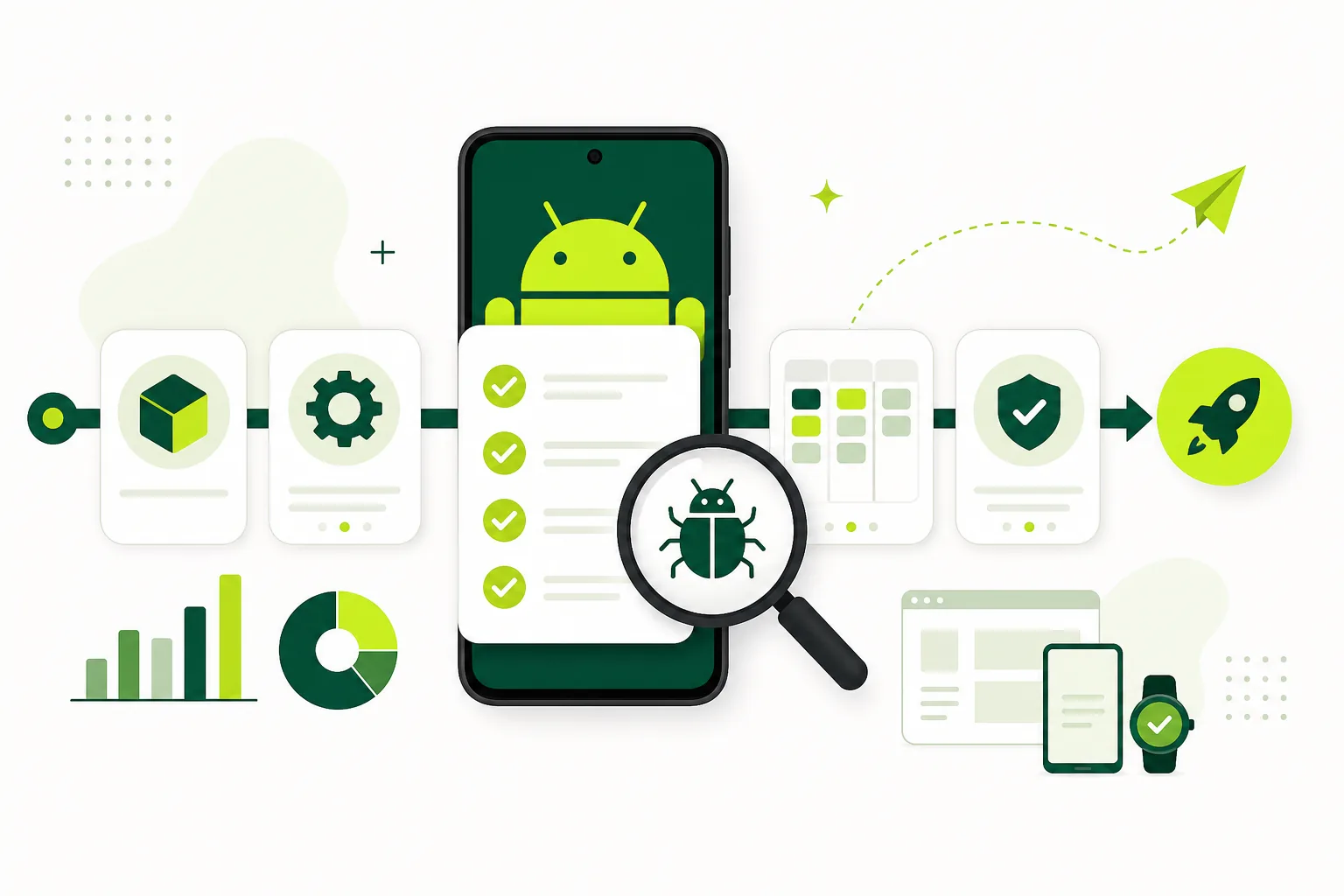
Start with a release candidate build tagged in version control, a written test brief, a device matrix, and a feedback channel testers can actually use. Without those four pieces, every bug report becomes a Slack thread that nobody can reproduce.
A practical workflow has five phases: prepare the build, recruit and onboard testers, run structured scenarios, triage and fix, then regression-test before store submission. Each phase should produce artifacts — opt-in screenshots, crash-free session rates, signed-off checklists — not just verbal confidence.
Name a single launch QA owner who can say no to a rushed submit. That person does not need to fix every bug, but they should verify that blockers are closed, beta windows are satisfied, and store metadata matches the binary under review.
For a deeper process breakdown, see best practices for mobile QA in 2026. The checklist below assumes you already have crash reporting, analytics, and a staging environment that mirrors production configuration.
- Lock a release candidate build and freeze non-critical merges.
- Publish a one-page tester brief with scenarios, accounts, and reporting rules.
- Run internal smoke tests on your top five real devices.
- Open your Google Play closed testing track and share the opt-in link.
- Collect feedback for a fixed window, triage daily, and regression-test fixes.
- Run a final production-readiness review before submit.
Android closed testing checklist (Google Play)
For affected new personal developer accounts, Google Play requires a closed test with at least twelve testers opted in for fourteen continuous days before production access. That is a compliance requirement, not a suggestion — but the quality bar should exceed the minimum.
Upload your release candidate to the closed testing track, configure countries, create a tester list or opt-in link, and verify each tester completes the Play Store opt-in flow — not sideloading. Track opt-ins daily; losing one tester below twelve can invalidate your window.
Pair closed testing with structured scenarios: first install, account creation, permissions, payments, offline behavior, and uninstall/reinstall. Document what changed between builds so production-access answers are honest.
Save dated screenshots of your Play Console closed testing dashboard showing tester counts and release status. Redact private emails before publishing externally, but keep clean internal records in case Google asks for clarification during production access review.
Use the scenario design sections below to turn this compliance window into practical launch QA.
- Release signed with the same key you will use in production.
- Closed testing track approved and available to testers.
- At least twelve real Google accounts opted in through the official flow.
- Fourteen-day continuous opt-in window tracked with daily snapshots.
- Tester instructions sent with install link, test account, and feedback form.
- Crash and ANR rates reviewed in Play Console pre-launch reports.
Google Play production readiness beyond the minimum
Meeting the twelve-and-fourteen rule opens the door to production access; it does not guarantee approval. Google can ask how you tested, what you fixed, and whether your app complies with data safety, permissions, and target API requirements for 2026.
Complete the Data safety form accurately, declare advertising IDs if used, and ensure your privacy policy URL resolves on mobile. Target the current API level Google requires for new apps and updates. Pre-launch report issues — especially on popular Samsung and Pixel devices — should be cleared or explicitly accepted with mitigation notes.
Before you click Request production access, prepare a short testing summary: tester count, duration, top bugs found, and fixes shipped. That narrative matters when reviewers question a thin beta. If recruiting real testers is the bottleneck, get 12 testers for 14 days through a managed service rather than padding lists with inactive accounts.
Get Android app testersManaged real-device testers for Google Play closed testing and launch QA.Why real-device testing still beats emulators alone
Emulators are excellent for developer iteration. They are poor substitutes for launch validation. Real devices expose GPU quirks, memory pressure, background task limits, push notification delivery, biometric flows, and carrier-specific network behavior that desktop environments simulate imperfectly.
In 2026, fragmentation remains a launch risk on Android: OEM skins, foldables, tablets, and budget chipsets behave differently under load. Google's published minimum is continuous closed-test opt-in; real-device engagement is how you collect credible feedback and catch launch issues that emulators miss.
A balanced strategy uses emulators for speed and real devices for confidence. Aim for at least one device per major Android version you support, plus one low-end phone. The comparison in real users vs emulators includes a decision matrix for when each layer is enough.
Recruit, onboard, and keep testers engaged
The hardest part of launch testing is not finding twelve email addresses — it is getting twelve people to install, use core flows, and report issues in your format. Recruit testers who match your target audience, not only engineers who already know the product.
Send a welcome message with the install link, expected time commitment, deadline, test account credentials, and a single feedback channel. Follow up on day two and day seven. Silent testers create false confidence; engaged testers surface the onboarding friction that drives uninstalls.
For closed testing compliance, testers must stay opted in for the full 14-day window — nagging is part of QA. If you want help running this operation, see pricing for managed tester packages or contact for launch support questions.
Device and OS coverage matrix
Document which devices and OS versions you tested and which you explicitly accept as risk. A simple spreadsheet beats a vague "tested on Android" claim when a reviewer or investor asks for detail.
Minimum 2026 coverage for most consumer apps: one Google Pixel on the latest Android, one Samsung Galaxy on One UI, one budget device from a popular OEM, and one device still on your minimum supported OS version.
Test rotation, dark mode, large text accessibility settings, and low-storage conditions on at least one device. Foldables and tablets deserve a row in your matrix if your layout adapts — do not assume phone-only testing covers them.
- Android 15 on Pixel or stock-adjacent device.
- Android 13–14 on Samsung or popular OEM skin.
- Minimum supported Android version on the oldest device in your matrix.
- Low-RAM Android phone (4 GB class) for performance sanity check.
- Tablet or foldable if your manifest declares support.
Functional testing: core flows every launch must pass
Functional QA is scenario-driven. Write ten to fifteen scenarios that mirror how a new user discovers value in the first session and how a returning user completes the primary action. Every scenario should end with an observable success state you can screenshot.
Cover cold install, sign-up, sign-in, password reset, deep links, push notification tap-through, in-app purchases or subscriptions, sharing, settings changes, logout, and account deletion if required. Permission prompts — camera, location, notifications, tracking — must appear at the right moment with copy that matches store disclosures.
Run the same scenarios on Wi-Fi, cellular, and airplane mode with intermittent connectivity. Retry logic and offline messaging should feel intentional, not like generic error toasts.
Localization deserves a spot in functional QA even if you ship English first: truncated strings, RTL layouts, and locale-specific date or currency formatting break trust fast when you expand to new markets right after launch.
Align this pass with the Android closed-testing and device-matrix steps earlier in this checklist.
Performance, stability, and battery
Launch users forgive missing features faster than they forgive crashes and jank. Set crash-free session targets before beta — many teams aim for 99.5% or higher on release candidates — and investigate any spike tied to a specific device or OS version.
Profile cold start time, time-to-interactive after login, scroll performance in long lists, and memory use during camera or map flows. Background location, audio, and download tasks should respect platform limits without silent failures when the app returns to foreground.
Battery drain reports are harder to automate but worth a manual pass: leave the app in a typical session for thirty minutes on a real phone and note abnormal heat or drain. ANRs should be zero for core paths before submit.
Security, privacy, and compliance
Store reviewers and regulators care about data handling as much as UX. Verify TLS on all API calls, certificate pinning if you use it, secure storage for tokens, and no secrets embedded in the client binary. Log redaction should prevent PII from appearing in crash reports you share externally.
The Data safety form on Google Play must match actual behavior. If you add analytics or ads late in the cycle, update disclosures before launch — mismatches are a common rejection reason. Account deletion, data export, and consent flows should work end-to-end where regulations apply.
Children, health, finance, and gambling categories carry extra policy weight. Run a policy self-review against current Google Play guidelines even if you used a checklist six months ago — rules shift mid-year.
Store listing, assets, and submission hygiene
Testing is not only in-app. Broken support URLs, placeholder screenshots, or demo login credentials that fail during review will block release even when the binary is solid. Open every link in your store listing on mobile — privacy policy, terms, marketing site, support email.
Screenshots and preview videos should reflect the build you submit, not a mock from three sprints ago. Version numbers, build numbers, and release notes in Play Console must match what testers received. Staged rollout on Play gives you a final observation window — use it unless marketing demands a hard launch.
Prepare reviewer notes: test account username and password, steps to reach paywalled content, and explanations for hardware features like Bluetooth or HealthKit. Clear notes reduce back-and-forth and speed approval.
Feedback collection, triage, and regression
Centralize feedback in one tool — GitHub Issues, Linear, Notion, or a dedicated form — with fields for device, OS, build number, steps, and severity. Train testers to include screenshots or screen recordings; vague "it broke" reports waste cycles.
Triage daily during active beta. Label blockers (launch stop), majors (fix before submit), and minors (fix post-launch). Every fix gets a targeted regression on the devices that reported the bug plus one device that did not.
Before final submit, run a full smoke pass on the exact production build artifact, not a near-identical debug variant. Tag the build in your repo and keep symbols uploaded for crash symbolication on both platforms.
Share a short release note with testers when you ship fixes during beta — they need to know which build number contains their reported fix so they can confirm closure instead of retesting stale binaries.
Launch day and the first seventy-two hours
Launch day is monitoring, not resting. Watch crash dashboards, store reviews, support inbox, and server metrics in fifteen-minute intervals for the first few hours if traffic warrants it. Have a rollback plan: previous build ready, feature flags identified, comms template for known issues.
Respond to early reviews professionally — review volume spikes fast on Android. If a blocker emerges, pause the staged rollout on Play while you fix and ship a new binary.
Schedule a post-launch retrospective within one week: what the checklist caught, what escaped, and which matrix rows need expansion for the next release. Continuous improvement beats a bigger pre-launch panic every quarter.
Your 2026 launch testing checklist summary
Treat launch testing as a program: closed testing for store compliance, real devices for confidence, structured scenarios for coverage, and daily triage for momentum. The teams that ship calmly are rarely the ones with zero bugs — they are the ones who found blockers before users did.
Print this page, assign owners, and check off each section before production. Need hands-on help with Google Play closed testing? Start from get 12 testers for 14 days. Questions about your timeline — contact us.
Related deep dives: mobile QA best practices 2026 and real users vs emulators. Ship when the checklist is green, not when the calendar says so.
Get 12 testers for 14 daysManaged tester packages for Google Play closed testing from $15.FAQ
Questions about this topic
How long should app launch testing take in 2026?
Most teams need two to four weeks of structured beta testing after internal QA, plus fourteen continuous days for Google Play closed testing if they need production access on a new personal account.
Does internal testing count toward the closed testing requirement?
No. Only the closed testing track counts toward the 12 testers for 14 days requirement. Use internal testing for daily builds and smoke tests, then move to closed testing for the compliance window.
How many real-device testers do I need?
Google Play requires at least twelve opted-in closed testers for affected accounts. An engaged group of fifteen to thirty testers covering your device matrix usually outperforms a hundred silent installs, and the buffer protects the continuous 14-day window if someone drops out.
Can emulators replace real devices for launch QA?
No for final launch sign-off. Use emulators and simulators during development, but validate permissions, push notifications, biometrics, performance, and OEM-specific behavior on physical hardware before production.
What is the biggest launch testing mistake in 2026?
Treating store beta requirements as checkbox compliance without structured scenarios or daily opt-in tracking. Inactive testers, untracked builds, and missing regression after fixes cause rejections and bad first-week reviews.
When should I request Google Play production access?
After at least twelve testers have been continuously opted in for fourteen days, blockers from beta are fixed, Data safety and target API requirements are met, and you have a written testing summary ready for review questions.
Sources
Official references used
- Set up an open, closed, or internal test (Google Play Console Help)
- App testing requirements for new personal developer accounts (Google Play Console Help)
Continue
Choose the next step
Related
Next pages to read
Need 12 testers for 14 days?
Start a managed Google Play closed-testing run with verified testers, opt-in monitoring, and a closeout report.