Comparison
Firebase vs Real Testers: Why Distribution Tools Still Need Human Feedback
Compare Firebase App Distribution with real tester workflows for Android and iOS beta testing, feedback quality, and launch readiness.
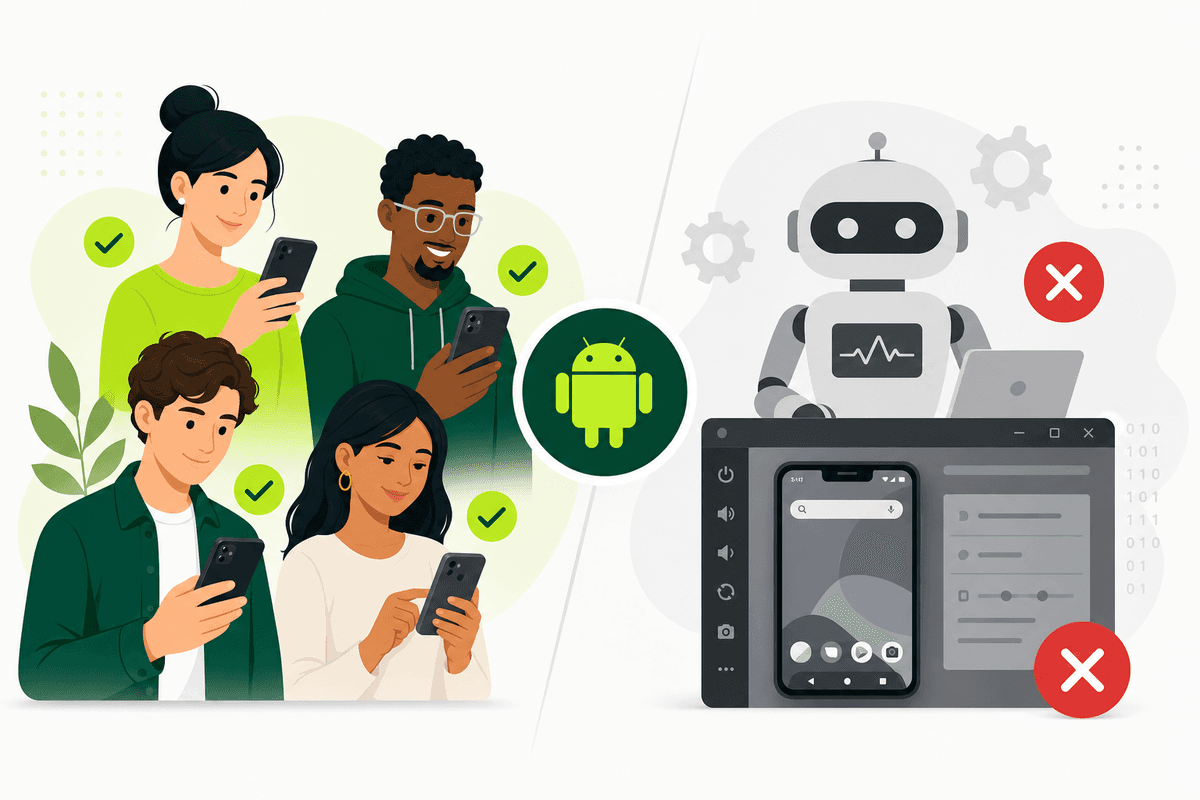
Firebase vs real testers is not an either-or platform choice — it is a division of labor. Firebase App Distribution delivers pre-release builds to invited testers, tracks install status, and supports feedback collection when configured. Real testers supply the human judgment, scenario completion, device diversity, and qualitative issues that distribution dashboards alone cannot generate.
Firebase answers: "Did the build reach devices?" Real testers answer: "Can a normal person understand, trust, and complete the core job on this phone?" Launch readiness requires both questions to have good answers.
If Google Play production access depends on closed testing, Firebase also cannot replace the Play Console opt-in workflow — you still need real people on the official path. Read the Google Play closed testing complete playbook 2026 and the mobile app launch testing checklist 2026 before you treat install counts as proof of testing.
What Firebase App Distribution actually provides
Firebase App Distribution is a distribution layer in the Firebase ecosystem. You upload Android or iOS builds, invite testers by email or group, and monitor who has installed. With setup, testers can submit feedback tied to builds.
It is excellent for trusted audiences: engineers, designers, agency clients, and partners who already expect pre-release builds. Speed and Firebase integration are the main strengths.
Firebase does not recruit engaged testers for you, write scenario briefs, chase opt-ins during a fourteen-day window, or prepare production-access summaries. Those are human workflow tasks layered on top of distribution.
Think of Firebase as the pipe and real testers as the pressure test. A pipe without flow through the app’s core journeys tells you almost nothing about launch readiness.
What real testers provide that Firebase cannot
Real testers judge onboarding clarity, permission timing, error messages, payment friction, and trust signals automation misses. They also generate device-specific bugs on OEM skins, low-RAM phones, and mixed network conditions.
For Google Play closed testing, real testers with valid Google accounts who complete the official opt-in flow are the credible participants reviewers expect — not merely devices that received an APK through a side channel.
Feedback quality depends on task design. Real testers with vague instructions produce vague reports. Real testers with structured scenarios produce launch decisions.
- Usability and comprehension issues on real hardware.
- Device and OS diversity beyond your desk setup.
- Scenario-based evidence for production-access questions.
- Repeated patterns that predict post-launch support load.
Firebase install metrics are not the same as meaningful testing
A high install rate with zero scenario completion is a common beta failure mode. Firebase may show that builds reached devices while your product still has a broken onboarding path nobody exercised.
Treat install status as a prerequisite, not success. Success looks like completed scenarios, triaged bugs, fixed blockers, and retests on reporting devices — documented in one tracker your team trusts.
If testers go silent after install, send reminders on day two and day seven, shorten the task list, and remove friction from the feedback channel. Silent betas create false confidence.
Compare Firebase install dashboards with qualitative notes from the mobile app launch testing checklist 2026. When the two stories diverge, trust the feedback gap — not the green status badge.
Google Play closed testing needs Firebase plus real opted-in testers
Affected new personal developer accounts need closed testing through Play Console — at least twelve testers opted in for fourteen continuous days — before production access. Firebase distribution outside that flow does not satisfy the store gate.
Many teams use Firebase early for internal speed, then promote the release candidate to closed testing with real opted-in participation. That sequence uses Firebase appropriately without confusing it for compliance.
When recruiting opted-in testers is the bottleneck, a Google Play closed testing service or managed coordination through how TestMyApps works addresses the human layer Firebase does not cover.
Keep both channels documented in release notes: which build is on Firebase for internal QA and which build is on the closed track for store validation. Mixing them without communication creates retest confusion.
Managed testing: connecting Firebase builds to human participation
Managed testing services sit between distribution and outcomes. They help recruit or coordinate testers, assign scenarios, send reminders, track progress, and produce closeout notes — whether builds arrive via Firebase, Play Console, or TestFlight.
TestMyApps is optimized for that coordination layer on launch-critical runs, especially Android closed testing where daily opt-in counts matter.
Compare get 12 testers for 14 days when your team spends more time chasing testers than fixing bugs. The cost of a slipped fourteen-day window often exceeds a managed package.
Get 12 testers for 14 daysManaged real-tester coordination for Android closed testing from $15.A combined stack that works in 2026
A practical approach for many startups: Firebase or CI for nightly internal builds, Play internal testing for store-signed smoke tests, Google Play closed testing with real opted-in testers for production access, TestFlight for iOS external beta, Crashlytics for stability, and one shared triage board.
Firebase remains valuable in that stack for speed. Real testers remain essential for comprehension, device coverage, and credible launch evidence. Managed coordination keeps the human layer from collapsing under deadline pressure.
The tools should support a written test plan — not replace it.
- Firebase: fast delivery to trusted early testers.
- Real testers: structured scenarios on release candidates.
- Play closed testing: store gate with opt-in tracking.
- Shared tracker: one place for triage and retest status.
How to decide what you need this week
If you only need five engineers to see tonight's build, Firebase is enough. If you need production access on Google Play this month, prioritize closed testing with real opted-in testers. If installs happen but feedback is empty, invest in scenarios and coordination — not another distribution link.
Write down the decision you need beta testing to support: fix onboarding, satisfy a store gate, validate payments, or choose a launch date. Match the tool to the decision.
Distribution without participation is the most expensive false economy in mobile launches. Firebase plus real testers plus a managed process when needed beats any single-vendor promise.
When your closed test is active, review the Google Play closed testing complete playbook 2026 weekly so opt-in counts, scenario coverage, and production-access prep stay aligned — Firebase metrics alone will not remind you.
FAQ
Questions about this topic
Can Firebase replace real testers?
No. Firebase can distribute builds and show install status, but real testers provide the human feedback and scenario completion needed for launch decisions.
Can Firebase replace Google Play closed testing?
No. Affected Google Play personal accounts need the Play Console closed-testing workflow with opted-in testers for production access.
Should small teams use Firebase?
Yes when fast trusted build distribution matters — but add a structured tester workflow around it for release candidates.
Does Firebase collect feedback automatically?
Firebase supports feedback collection when configured, but quality still depends on real testers completing scenarios and reporting with device details.
When should I add managed testers on top of Firebase?
Add managed coordination when opt-in tracking, reminders, or closeout documentation would slip — especially during Google Play's fourteen-day closed-test window.
What is the fastest path to credible Android beta testing?
Smoke test locally, run Play internal testing, then closed testing with twelve-plus opted-in real testers, structured scenarios, daily tracking, and triage — using Firebase only for earlier internal iterations if helpful.
Sources
Official references used
- Firebase App Distribution (Firebase)
- Collect feedback from testers (Firebase)
- App testing requirements for new personal developer accounts (Google Play Console Help)
- Set up an open, closed, or internal test (Google Play Console Help)
Continue
Choose the next step
Related
Next pages to read
Apply the guide to your closed-testing run.
Use the free tools to check your setup, or review managed tester support when recruitment and coordination are the blocker.
Need help getting your app through store testing?
Talk to the TestMyApps team about onboarding, pricing, or store testing support