Policy
Google Play Policy Updates for Closed Testing: What Developers Should Watch in 2026
Track the Google Play policy areas that most often affect closed testing, production access, app readiness, and Android launch reviews.
On this page · 10 sections
- 01Why policy and closed testing are linked
- 02Policy surfaces to review before day zero
- 03High-impact policy areas in 2026
- 04Build policy scenarios into the closed test
- 05Data safety and permissions alignment
- 06Store listing accuracy under review
- 07Monitoring policy updates without drowning in noise
- 08Policy-ready closed testing checklist
- 09Frequently asked questions
- 10Official sources
At a glance
In plain English
- Policy pages change; verify requirements in Play Console and official Help articles before you plan a launch date.
- Closed testing remains the usual path for many new personal accounts that need production access.
- When something changes, update your checklist — do not rely on a blog post alone as legal truth.
Google updates Play policies and Help docs over time. Your launch plan should follow Console prompts and official articles, with this post as a practical briefing for closed-testing teams.
We keep the core facts conservative: 12 opted-in testers, 14 continuous days on the closed track for affected personal accounts, and a separate production-access review.
If your Console shows a different requirement, trust Console.
Why policy and closed testing are linked
Google frames pre-launch testing as a way to find issues and confirm policy compliance before production. Closed testing satisfies the tester-count requirement for affected new personal developer accounts; it does not exempt you from Data safety, permissions, content, or target API expectations.
Teams that treat closed testing as only a headcount exercise often pass the opt-in window and fail production access or later store enforcement because the privacy policy 404s, account deletion is buried, or the listing promises features the build does not ship.
Policy readiness should be verified before day zero of the closed test so fixes do not burn calendar days. Run internal testing first for smoke checks, then enter closed testing with a policy-clean release candidate.
Policy surfaces to review before day zero
Start in Play Console: App content, Policy status, Data safety, Ads declaration if applicable, and target audience. Confirm your privacy policy URL loads on mobile, support email works, and content rating answers match real app behavior.
Match SDK and third-party library behavior to Data safety answers — analytics, ads, login providers, and crash tools must be declared honestly. Target API level should meet Google’s current requirements for new apps and updates in 2026.
Store listing copy and screenshots must not overclaim. If the closed build lacks a marketed feature, remove or reword the claim before testers and reviewers see it. Cross-check what is closed testing for track setup once policy baselines are done.
- Privacy policy URL and in-app link to policy.
- Data safety form aligned with actual SDK behavior.
- Account deletion path where required, with clear user steps.
- Sensitive permissions with in-app disclosure before system prompt.
- Content rating and target audience accurate for the build.
High-impact policy areas in 2026
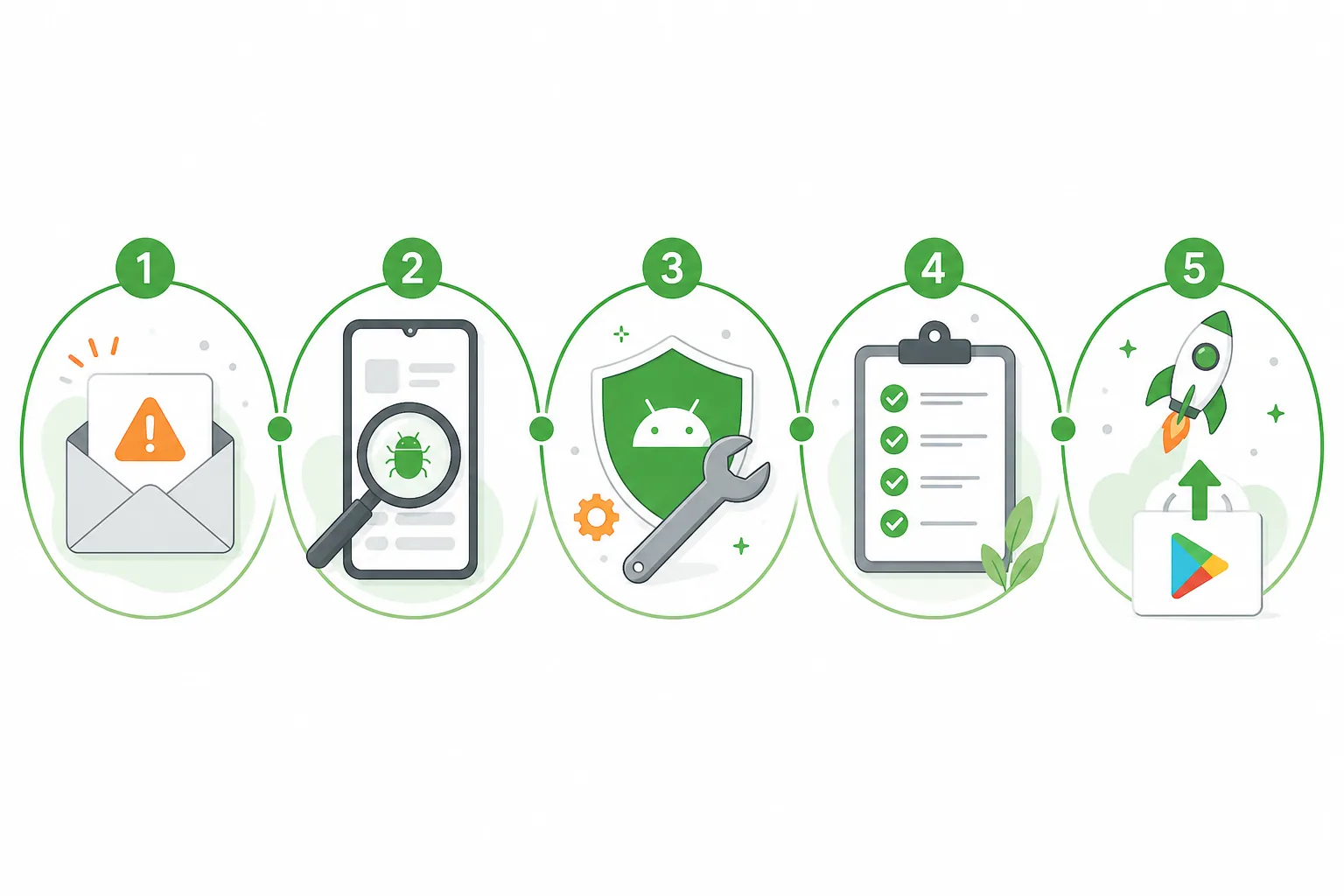
Account deletion and user data controls remain enforcement hotspots. If users can create accounts, they should be able to delete them in-app or through a documented web flow that matches your declaration. Testers should complete deletion during the closed test when applicable.
Sensitive permissions — location, camera, microphone, SMS, health, background location — need prominent in-app disclosure and justification that matches Play Console declarations. Test on devices where users deny permissions to see graceful degradation.
Monetization policies affect subscriptions, trials, and pricing display. Testers should see the same prices and terms production users will see. For apps targeting children or including user-generated content, moderation, reporting, and age-appropriate design need explicit test steps.
When Google publishes policy communications, update app behavior, store listing, and your closed-test brief together. A one-line internal changelog of policy reviews helps resubmissions after production access denied.
Build policy scenarios into the closed test
Extend your tester brief beyond happy paths. Include: open privacy policy from settings, accept/deny a sensitive permission, complete a purchase or subscription if monetized, submit and report UGC if applicable, and delete an account end-to-end.
Ask testers to note confusing copy, broken links, and mismatches between what the store listing promises and what the build delivers. That feedback is policy signal, not just UX polish.
Triage policy findings with the same urgency as crashes. A day-thirteen discovery that deletion fails is worse than a cosmetic bug found on day four. The 12 testers requirement article reminds you to keep opt-ins stable while you ship fixes.
- Verify privacy policy and support contact from inside the app.
- Exercise permission prompts with accept and deny paths.
- Run payment or subscription flow with real sandbox or test mode.
- Test account deletion and data export if offered.
- Confirm UGC reporting and blocking when your app allows posts or chat.
Data safety and permissions alignment
Data safety is a declarative contract with users and reviewers. If testers trigger analytics, ads, or location collection, those behaviors must appear in your form. “We might add analytics later” is not a reason to under-declare during closed testing.
Permission minimization still applies: request only what you need, when you need it. Testers can flag “why does a flashlight app need contacts?” style friction that predicts review questions.
After SDK upgrades mid-test, re-scan permissions and update Data safety before requesting production access. Patch releases are common; policy drift during a closed test is a silent launch risk.
Store listing accuracy under review
Closed testers often see the test listing notes, but production access and eventual launch review compare marketing assets to the binary. Screenshots showing features not in the closed build are a frequent denial source.
Align short description, full description, and feature graphic with the tested experience. If AI-generated store copy invents capabilities, rewrite before submit. Teams pairing testing with screenshot work should read launch QA guides in the broader cluster when polishing assets.
Keep a single source of truth: version number in the closed build, changelog sent to testers, and listing text updated in the same release train.
Monitoring policy updates without drowning in noise
Use official sources first: Google Play Console Help, in-console Policy status messages, and category-specific requirement pages for your app type. Avoid launching solely based on social posts that omit effective dates or account-type exceptions.
Assign a policy owner on the team — even part-time — to review Play Console notifications weekly during the closed test. Snapshot Policy status when clean; if warnings appear, fix before production access.
Pair monitoring with the 14-day window plan so policy work has scheduled days, not a panic block on day twelve.
Policy-ready closed testing checklist
Before requesting production access, confirm: Data safety matches behavior, privacy policy works, permissions are disclosed, deletion and support paths work, listing matches the build, and testers validated those flows with notes you can cite.
Use the closed testing checklist tool and timeline estimator alongside this policy pass. If tester coordination is tight, managed closed testing keeps the window alive while engineering fixes policy blockers.
Closed testing plus policy discipline is how you avoid winning the fourteen-day clock and losing the production decision. Treat policy updates as part of the test plan, not paperwork after launch.
FAQ
Questions about this topic
Where should I check Google Play policy updates?
Start with Google Play Console Help, your app’s Policy status in Play Console, and category-specific requirement pages for permissions, data, and content types your app uses.
Can policy issues affect production access after closed testing?
Yes. Meeting the twelve-tester, fourteen-day closed test does not replace policy compliance, accurate Data safety, or app quality expectations during production access review.
Should testers verify policy-related flows?
Yes. Include privacy links, permission prompts, payments, account deletion, and reporting features in tester scenarios when those flows exist in your app.
Do I need to update Data safety if I add an SDK mid-test?
If the SDK changes data collection or sharing, update Data safety and retest before requesting production access so declarations match behavior.
Can misleading screenshots cause denial?
Yes. Store assets must reflect the app testers and reviewers can actually use; overclaimed features are a common friction point.
How does policy review relate to the fourteen-day window?
They run in parallel. Use the window to find and fix policy issues via real tester flows, not only to accumulate opt-in days.
Sources
Official references used
- App testing requirements for new personal developer accounts (Google Play Console Help)
- Set up an open, closed, or internal test (Google Play Console Help)
Continue
Choose the next step
Related
Next pages to read
Need 12 testers for 14 days?
Start a managed Google Play closed-testing run with verified testers, opt-in monitoring, and a closeout report.