Real people · Physical Android phones
Android app testers on real phones, for your Google Play closed test
Get 14 real Android testers for a 16-day managed testing window. Most runs are assigned within about 6 hours, with daily participation monitoring, dropout cover, and a closeout report from $15 one-time.
Updated October 13, 2026 · One-time payment · No subscription
Who this is for
Testing support for developers who need reliable participation
This service is built for developers with a new personal Play Console account, solo teams without a large Android user network, and anyone whose self-managed test keeps losing participants before the continuous window is complete.
New personal Play Console accounts
For developers who need the closed-test requirement before they can apply for production access.
Solo developers and small teams
For teams without a QA department or a ready-made network of reliable Android users.
Teams losing volunteer testers
For runs where friends, communities, or swap groups stop participating before the window ends.
Developers who want useful feedback
For launches that need real-device usage and a clearer record—not only names on a tester list.
Organization accounts do not need the new-personal-account production-access test, but real-device feedback can still uncover install, onboarding, permissions, and usability problems before launch.
Why physical phones matter
Why real Android devices matter
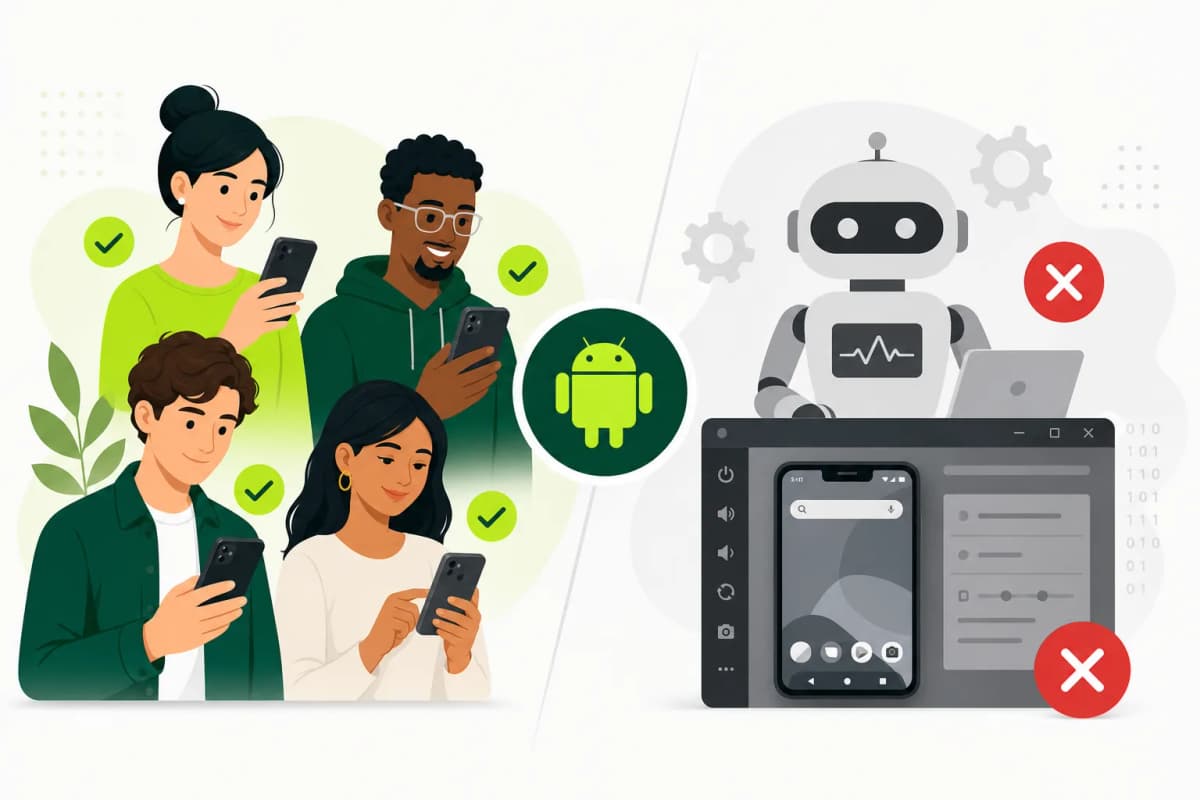
Emulators are excellent for fast development checks, but they do not reproduce every manufacturer skin, Android version, screen size, memory limit, notification interruption, or network condition that users experience.
Real testers also show whether people understand your onboarding and core features without a developer guiding them through every step.
Compare real testers with bots and emulatorsReal devices
Physical Android phones with real-world screens, storage, and manufacturer behavior.
Real connections
Normal Wi-Fi and mobile-network conditions instead of a controlled emulator environment.
Real interruptions
Notifications, backgrounding, and app switching that expose fragile user flows.
Real usage
People navigate the app without a developer standing beside them and explaining each step.
How opt-in works
From Play Console setup to a monitored closed test
Being added to a tester list is not the same as opting in. Each tester must accept the official invitation and install through Google Play.
- 01
Prepare
Finish your Play Console app setup
Complete your store listing, content rating, target audience, data safety, and app-access details before creating the closed test. - 02
Release
Create and roll out the closed-test release
Upload your Android App Bundle to a closed track and roll it out. A release left in draft cannot accept testers. - 03
Invite
Attach the tester list or Google Group
Add the provided tester accounts to the track and save the testing configuration in Play Console. - 04
Share
Send the official opt-in link
Copy the Join on the web URL from Play Console and submit it from your TestMyApps dashboard. - 05
Test
Testers opt in, install, and use the app
Most runs are assigned within about 6 hours once the release and opt-in link are ready. Participation is monitored throughout the window. - 06
Closeout
Review the testing record and apply
After the managed window, use the closeout report to prepare your production-access answers. Google reviews and decides the application.
What testers check
Practical app usage, not a silent install count
Testers use the app like normal users. This complements your own QA; it does not replace automated, security, or performance testing.
Install and updates
Play Store installation, first launch, and updates delivered through the closed track.
Sign-up and login
Account creation, authentication, test credentials, recovery, and common access blockers.
Core app flows
The main features your app promises, used across the managed testing window.
Stability blockers
Crashes, freezes, blank screens, broken navigation, and permission problems.
Usability friction
Buttons people miss, instructions they misunderstand, and flows that feel unclear.
Closeout evidence
Participation and feedback notes you can use when preparing production-access answers.
Google Play requirement
How this supports Google Play closed testing
Affected personal developer accounts created after November 13, 2023 must run a closed test with at least 12 testers opted in continuously for the preceding 14 days before applying for production access.
TestMyApps provides 14 testers across a 16-day managed window, creating operational buffer above Google's minimum. Completing the requirement lets an eligible account apply; it does not guarantee approval.
Get the complete 12 testers for 14 days walkthrough- Two additional testers above Google's minimum
- Two additional days beyond the minimum window
- Daily participation monitoring and dropout cover
- Testing notes for the production-access questionnaire
Clear scope
What this service is — and is not
This is managed real-user testing for Android closed-test participation, practical product feedback, and a clearer testing record.
It is not a formal QA contract, automated test suite, performance audit, security review, or promise that Google will approve an app. Your app still needs to meet Google Play policy and quality requirements.
Read the free-retest and refund termsFAQ
Android app testing questions, answered clearly
Where can I find Android app testers?
You can recruit friends, customers, relevant communities, or tester-swap groups. If you do not want to coordinate the run yourself, TestMyApps provides 14 real Android testers with managed opt-ins and participation monitoring.
Are the Android testers real people?
Yes. Testers are real people using physical Android phones. Managed closed-testing runs do not use bots or emulator-only participation.
Can I hire Android app testers for the 12-testers rule?
Yes. The managed run provides 14 testers for 16 days, giving you a buffer above Google's minimum of 12 continuously opted-in testers for 14 days.
How quickly do testers join?
Most runs are assigned within about 6 hours after your closed release and opt-in link are ready. Google notes that a new test link itself can sometimes take several hours to become available.
What do the testers actually check?
They install from Google Play, open the app, use its main flows, and report practical issues such as crashes, blocked screens, confusing steps, and sign-in problems.
What happens if a tester drops out?
Participation is monitored and dropouts are replaced. Starting with 14 testers also provides two-tester buffer coverage above Google's minimum.
Is this the same as open testing?
No. Testers join your closed testing track. For affected new personal accounts, closed testing is the track that counts toward production access; open testing becomes available after production access.
How much does Android app testing cost?
The Basic package is $15 one-time for one app, and Premium is $29 one-time for two apps. There is no subscription.
Does TestMyApps guarantee production access?
No. Google makes the final production-access decision. TestMyApps provides the managed testing run, buffer coverage, monitoring, and closeout report. Guarantee terms provide a free retest and then a refund where eligible.
What is included in the closeout report?
The report summarizes participation, tested flows, feedback, and issues found so you have concrete material when preparing your production-access answers.
Verified references
Official Google Play sources
Start when your closed release is ready
Ready to test your Android app on real phones?
Start a managed run with 14 testers, a 16-day window, daily monitoring, and a closeout report from $15.