Comparison
DIY vs Paid Google Play Closed Testing Cost: Time, Dropouts, and the $15 Buffer
Compare DIY tester recruiting with a paid Google Play closed testing service: time, dropout resets, questionnaire prep, and when $15 or $29 is cheaper.
On this page · 12 sections
- 01Why "cost" is the wrong single number
- 02What Google actually requires (so the cost model makes sense)
- 03The DIY cost stack
- 04The managed cost stack (TestMyApps)
- 05Decision table: DIY vs managed
- 06Same cash band, different failure modes
- 07A simple cost model you can reuse
- 08Worked examples (illustrative)
- 09What managed does not change about cost
- 10Recommended path
- 11Frequently asked questions
- 12Official sources
At a glance
In plain English
- DIY is cheaper in cash if you already have 14–16 reliable people; it is expensive in calendar days if you do not.
- Managed testing costs money but buys recruiting, opt-in chasing, and buffer coverage.
- Count your time: daily Console checks for 14+ days are part of DIY cost.
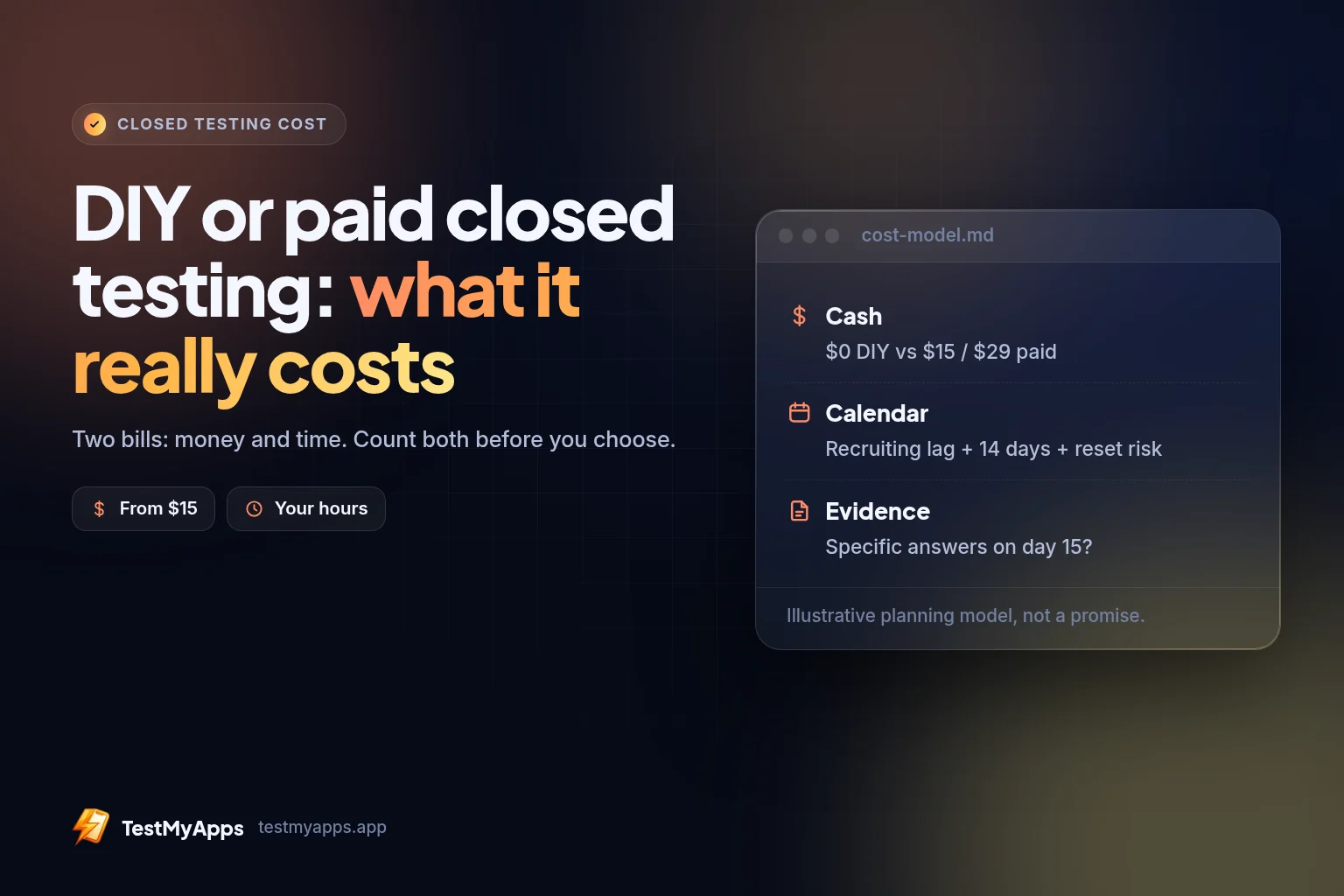
Closed testing has two bills: money and time. DIY means you recruit, chase opt-ins, and replace dropouts. Managed means you pay for that coordination.
Neither is “wrong.” Choose based on whether you already have a community that will join a Play test for two weeks.
This page compares both paths without fake precision on Google’s review times.
Why "cost" is the wrong single number
When people type Google Play closed testing cost into a search bar, they often want a price tag. Fair. The cash price of a managed credit is easy: Basic $15 or Premium $29.
The expensive part of closed testing is rarely the sticker. It is calendar time before you can apply, people who say yes and never opt in, opt-outs that quietly break a continuous 14-day streak, thin evidence when Google's production-access questionnaire asks what testers actually did, and a full restart after you thought you were almost done.
DIY and managed are two ways to buy those outcomes. One spends mostly time and social capital. The other spends a small fixed fee for ops and buffer. Neither purchases store approval.
What Google actually requires (so the cost model makes sense)
For affected personal developer accounts (notably accounts created after Google's 2023 policy updates), you generally need testers on a closed testing track (not internal-only for this gate), at least 12 testers opted in, and continuously for the last 14 days when you submit the production-access application.
Internal testing, sideloaded APKs, and "I'll add them later" lists do not satisfy the published closed-testing gate. Engagement quality is not the public minimum — but weak activity makes a fragile story when you answer Google's questions.
Our guarantee: free retest if Google denies production access, then a refund if that retest still isn’t approved.
The DIY cost stack
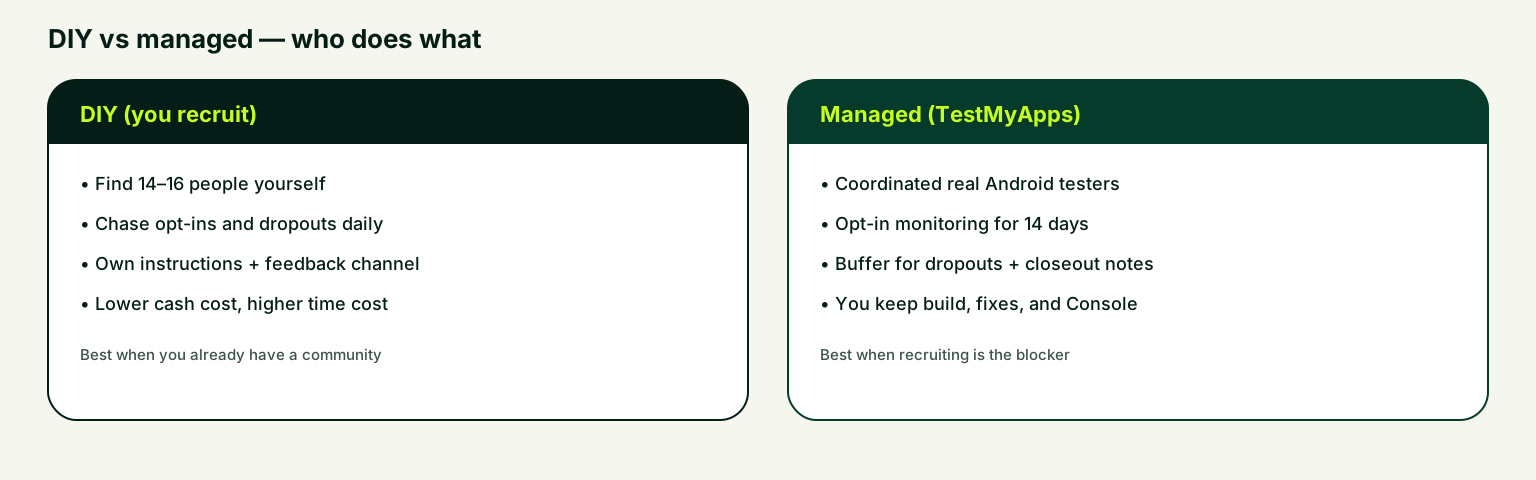
Finding twelve people with Android phones and Google accounts sounds trivial until you try it on a Tuesday night before a launch review. Expect several hours of outreach plus delayed replies. Community routes can work — use the free TestMyApps community or download the Android community app on Google Play to discover apps, post your own, and organize reciprocal testing — but volunteer networks optimize for goodwill, not your release date.
A tester who "joined" in a chat thread has not joined in Play Console. Cost shows up as wrong Google accounts, never opening the official opt-in link, installing from an emailed APK, or leaving the track after a quick look.
The 14-day clock is continuous. If your opted-in count dips below 12, you can lose progress toward the requirement. DIY cost here is daily vigilance: checking Play Console, chasing quiet testers, holding a bench of replacements, and explaining to stakeholders why "Day 12 of 14" became "Day 1 again."
A reset is the DIY cost people underprice. You do not pay Google a penalty fee. You pay another recruiting cycle, another two weeks of waiting, delayed revenue or client demos, and questionnaire answers that still feel thin.
Production access is not only a tester counter. Google asks what was tested and what you learned. If your DIY cohort ghosted after install, you may meet the numeric gate with almost nothing useful to write.
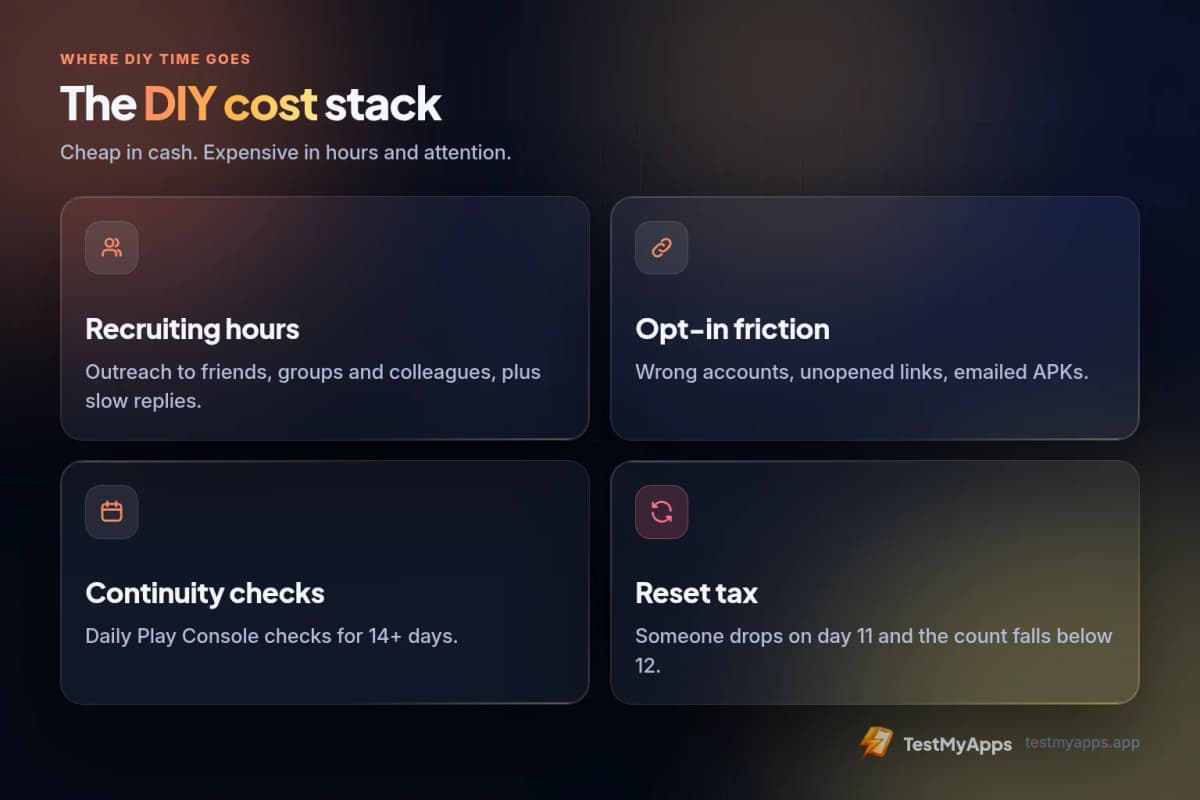
- Recruiting hours from friends, Discord, Reddit, or colleagues
- Opt-in friction — wrong accounts and incomplete Play Console joins
- Continuity babysitting across 14 continuous days
- Reset tax when someone drops on Day 11
- Questionnaire prep with thin evidence
The managed cost stack (TestMyApps)
A managed credit packages the ops Google's rule implies. **Basic $15** = 1 app run. **Premium $29** = 2 app runs. Each credit includes ~14 verified testers, ~16 days monitored, official Play closed-test opt-ins on physical Android devices, and closeout notes for the questionnaire.
We meet Google's 12 testers × 14 days by assigning 14 testers for 16 days (buffer).
You still own the build, the closed track, the listing quality, and the application. We own recruiting continuity, monitoring, and structured handoff notes. Typical assignment is about 6 hours once your opt-in link and build details are ready.
Hire managed closed testingManaged Google Play closed testing is $15 for 1 app or $29 for 2 apps. End-to-end functionality testing with regular feedback is $50 for 1 app or $99 for 2 apps. Every plan includes 14 testers for 16 days. Does not sell production access.Decision table: DIY vs managed
Use this as a buying filter before you commit calendar weeks to recruiting.
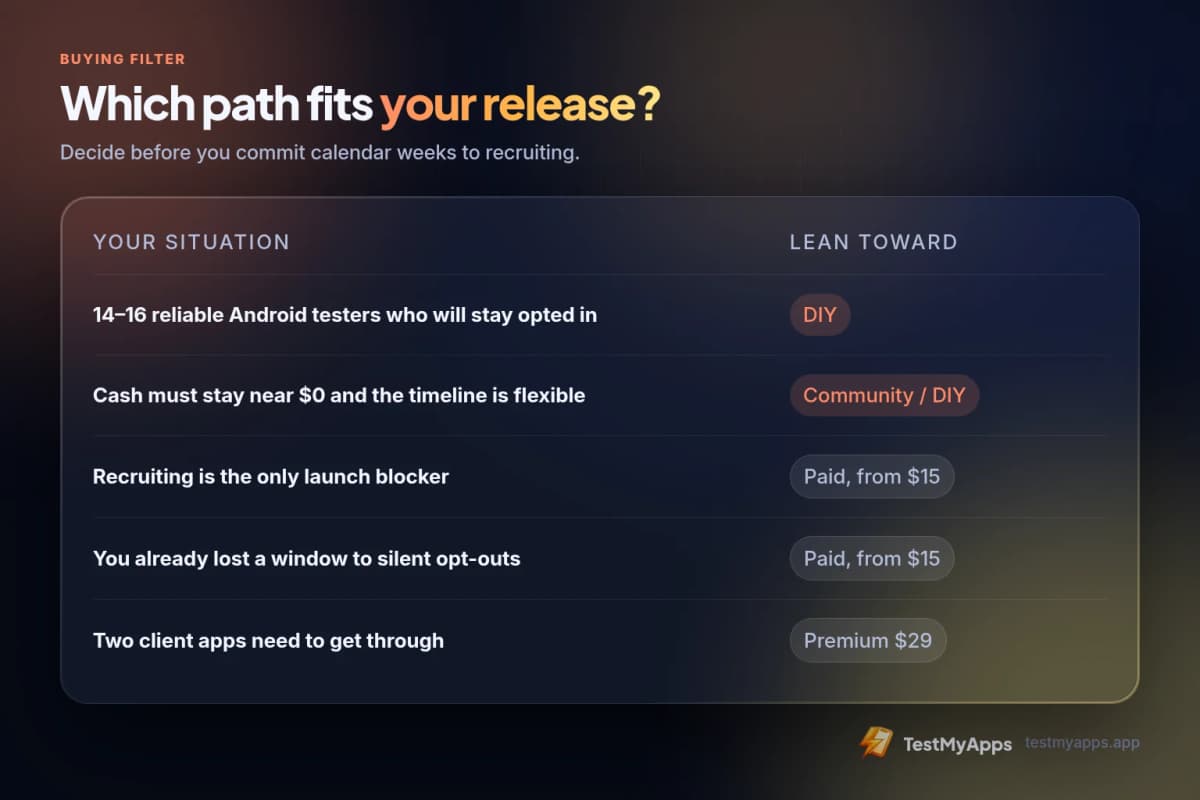
- You already have 14–16 reliable Android testers who will stay opted in → lean DIY
- Recruiting is the only launch blocker → lean managed
- You already lost a window to silent opt-outs → lean managed
- You need two client apps through the gate → Premium $29 fits
- Cash must stay near $0 and timeline is flexible → community / DIY first
- You want questionnaire-ready notes without chasing people → lean managed
- Comparing marketplace gigs at ~$15–$30 → read marketplace gigs vs managed (same budget band, different ops)
Same cash band, different failure modes
Marketplace "12 testers" gigs frequently advertise in the same $15–$30 neighborhood as Basic/Premium. Price parity does not mean outcome parity. Gig failure modes tend to be opt-ins that never fully land in Console, no real replacement process when someone disappears on Day 10, little usable feedback for the questionnaire, and you still owning the monitoring job you thought you outsourced.
Managed failure modes are different: you still need a working closed-testing link, a policy-ready app, and honest answers. What you are not buying is a magic "approve" button.
For the gig-vs-managed deep dive, use marketplace tester gigs vs managed closed testing. This article stays on DIY cost vs managed cost.
A simple cost model you can reuse
Try scoring a release on three axes before you choose: **Cash** ($0 DIY vs $15 / $29 managed), **Calendar** (recruiting lag + 14 days + reset probability), and **Evidence** (will you have specifics for the questionnaire on Day 15?).
If cash is the only axis that matters and you have a loyal Android bench, DIY wins. If calendar or evidence is the constraint, managed usually wins even when DIY looks "free." Agencies often discover this first: staffing tester ops across client apps does not show up as a line item until a launch slips.
Worked examples (illustrative)
These are planning sketches, not promises. Apps, policies, and Google reviews vary.
For the timeline side of the same decision, read a full 16-day example run.
- Solo indie, strong friend network: DIY can be rational if you over-recruit to 14–16 and check Console daily.
- Founder who already reset once: managed is usually cheaper than another reset.
- Agency with two Android client listings: Premium $29 → 2 credits unless you already run a tester desk.
What managed does not change about cost
Even after a clean closed-testing run, budget time for Data safety / privacy disclosures, store listing quality, production-access questionnaire answers (use the closeout report; do not invent), and possible follow-up from Google.
Treat closed testing as one gate in a launch stack — not the whole launch. Reviews & ratings packages ($17 / $30) are a separate product for live listings.
Recommended path
1. Confirm your closed testing track and opt-in URL work in Play Console.
2. Decide DIY vs managed using the table above — not vibes.
3. If managed: Get started, pick Basic or Premium on Pricing, or go straight to Hire.
4. After the window, apply with specifics. Remember: Google decides.
We meet Google's 12 testers × 14 days by assigning 14 testers for 16 days (buffer).
Pricing — $15 / $29FAQ
Questions about this topic
Is managed always cheaper than DIY?
No. DIY can be cheaper in cash when you already have reliable testers. Managed is often cheaper in total cost of delay when recruiting or resets are the risk.
Why isn't the package exactly 12 testers for 14 days?
Buffer against dropouts. The public requirement is 12×14; operationally we run above that so one leave is less likely to zero your streak.
Can I mix DIY and managed?
Yes. Some teams start DIY, then hire a managed run after a failed window. Credits are per app run — see pricing.
Does TestMyApps guarantee production access?
Our guarantee: free retest if Google denies production access, then a refund if that retest still isn’t approved.
Sources
Official references used
- App testing requirements for new personal developer accounts (Google Play Console Help)
- Set up an open, closed, or internal test (Google Play Console Help)
Continue
Choose the next step
Related
Next pages to read
Need 12 testers for 14 days?
Start a Google Play closed testing run with verified testers, opt-in monitoring, and a closeout report.