Guide
How to get testers for Google Play
A practical guide to finding real Android testers for Google Play closed testing without relying on random installs or last-minute outreach.
On this page · 10 sections
- 01Why tester quality matters more than tester quantity
- 02Option 1: Use your own network
- 03Option 2: Use the free community exchange
- 04Option 3: Use a managed testing service
- 05What good testers actually do
- 06How to improve tester participation
- 07When to switch from manual recruiting to managed support
- 08Conclusion
- 09Frequently asked questions
- 10Official sources
At a glance
In plain English
- Start with people who will actually opt in on Play — friends, customers, communities — then add buffer seats.
- Send a clear Join link and verify each person in Console within 24 hours.
- If recruiting stalls, use a managed closed-testing run rather than buying opaque “install packs.”
Getting testers for Google Play closed testing means finding people who will tap Join and stay for 14 days — not collecting emails that never opt in.
Mix warm contacts, relevant communities, and — if needed — managed help. Always verify in Play Console.
This guide prioritizes channels that produce real closed-track opt-ins.
Why tester quality matters more than tester quantity
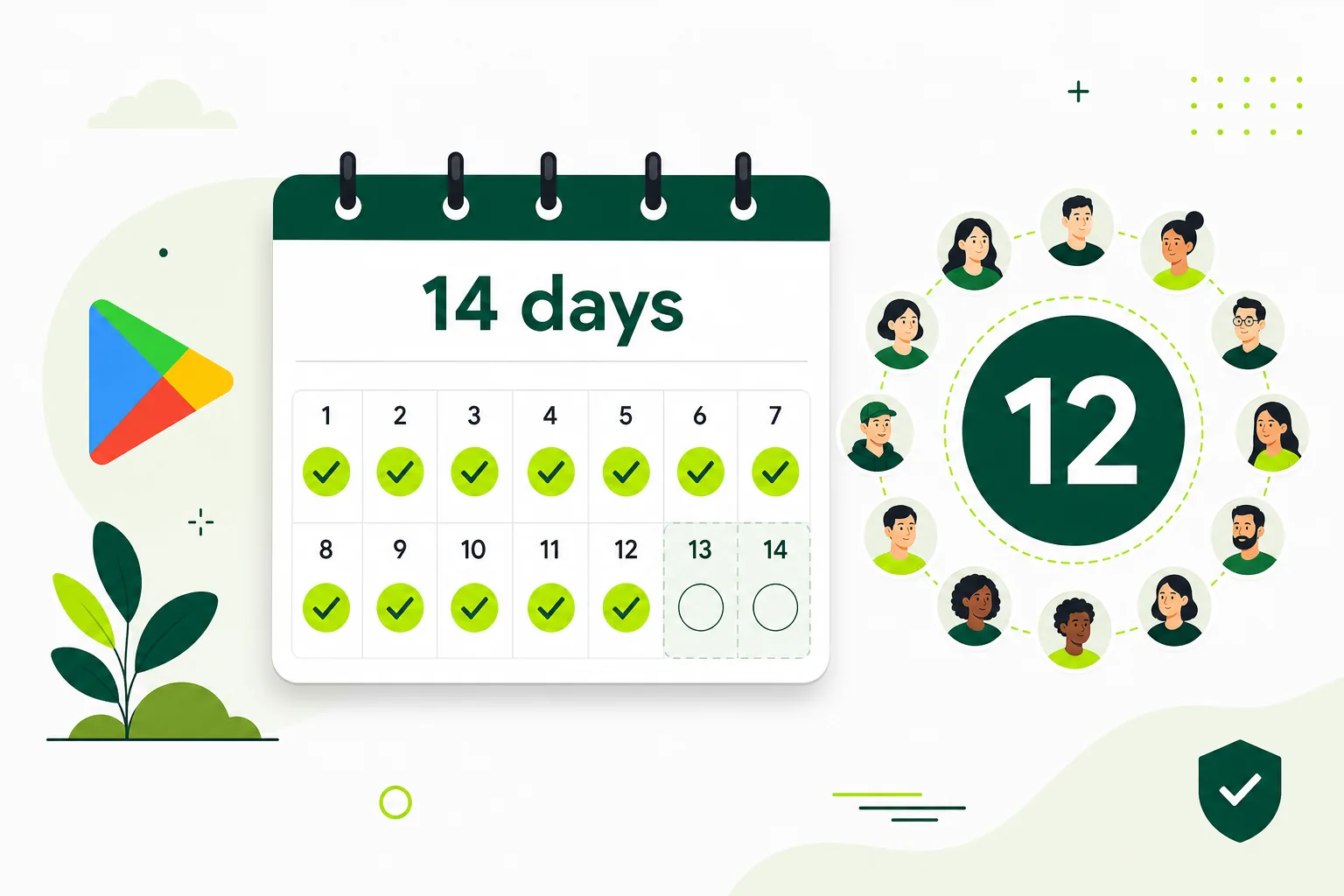
Twelve inactive installs do not equal twelve valid testers. Google tracks opt-in status in Play Console, and production access depends on continuous participation on the closed track. Testers who use the wrong Google account, never complete opt-in, or uninstall on day two weaken your run and can force you to restart the timeline.
Good testers complete the Play opt-in flow, use the app on real devices, come back during the testing window, and surface the issues that matter before launch. The stronger the instructions you give them, the stronger the result you get back. Before recruiting anyone, read what is Google Play closed testing so you understand exactly what counts toward production access.
Plan for fourteen to sixteen recruits when you need twelve active testers. Buffer accounts for dropouts, wrong-email mistakes, and people who lose interest mid-window. That buffer is cheaper than adding two extra weeks to your launch date.
Option 1: Use your own network
Friends, colleagues, existing customers, and early supporters are the fastest source of testers if you already have a warm audience. The upside is trust — people know you and may give honest feedback. The downside is inconsistency. People often mean well, install once, and disappear when life gets busy.
This option can work for very small tests or when your network includes Android users who will follow instructions. It usually gets harder when you need structure and follow-through across fourteen days. You will spend time explaining the opt-in flow repeatedly, chasing people who forgot to join, and wondering whether you still have twelve active testers on day eleven.
If you go this route, send one clear onboarding doc with the opt-in link, a short video walkthrough, three to five test scenarios, and a feedback form. Remind people on day three and day seven. Track opt-in status daily in Play Console — never assume everyone joined because you sent an email.
Option 2: Use the free community exchange
Founder groups, Android communities, Discord servers, and product-maker spaces can help you find volunteers without paying for a managed run. TestMyApps operates a free Google Play testers community where developers can post an app, help another developer test, and recruit reciprocal volunteers.
For the best response, explain what the app does, include the official Play Console opt-in link and supported countries, list three to five flows to test, and say what useful feedback looks like. Reciprocate by testing another developer's app instead of treating the community as a one-way install source.
Free community recruiting is self-managed. Recruit fourteen to sixteen people for buffer, confirm every opt-in in Play Console, send reminders, and keep your own testing log. Volunteers can drop out, so a community cannot guarantee twelve retained testers or a completed fourteen-day window. Pair outreach with the complete closed testing playbook.
Option 3: Use a managed testing service
A managed testing service becomes valuable when timing, consistency, and coordination matter more than raw reach. Instead of finding and reminding testers yourself, you use a workflow that already knows how to handle coverage, onboarding, and activity tracking across the full closed-testing window.
That is where TestMyApps fits. It helps developers get real testers for Google Play closed testing without turning the process into a separate part-time job. You get real-device coverage, opt-in coordination, reminders, and reporting — so you can focus on fixing bugs and preparing store metadata instead of chasing installs.
See how it works for the managed workflow, compare plans on pricing, or go directly to the Google Play closed testing service page if you already know you need twelve active testers on a deadline.
What good testers actually do
Good testers do not just install the app. They complete the Play opt-in flow, use the app on real devices, come back during the testing window, and surface the issues that matter before launch. They follow your brief, report crashes with steps to reproduce, and tell you when copy or navigation is confusing — not just when something looks 'fine.'
The difference shows up in production-access applications. When Google asks what you learned during testing, specific feedback from engaged testers — device model, Android version, scenario completed, bug found — beats a silent install list with no documented activity.
- Install through the Play Store path, not sideloaded APKs.
- Open the app more than once across the testing window.
- Exercise your core flows with the scenarios you provide.
- Share useful feedback instead of only a thumbs-up.
- Use the same Google account for invite, opt-in, and install.
How to improve tester participation
Keep the opt-in steps short and visual. Provide one clear list of flows to test, login credentials if needed, and a simple feedback channel — a Google Form, shared spreadsheet, or bug tracker link. Even strong testers need guidance. If they do not know what to do after install, they usually bounce early.
Send reminders before people drift away — day three and day seven are good checkpoints. Celebrate quick wins when testers find real bugs; it keeps engagement up and shows their time matters. If the app has obvious friction in onboarding, fix that early. Low-quality onboarding produces low-quality testing.
Cross-check your pre-launch readiness with the mobile app launch testing checklist before inviting external testers. Sending people into a broken first-run experience wastes their time and yours.
When to switch from manual recruiting to managed support
If you are spending more time finding testers than improving the app, the process is already too manual. That is the moment when a managed service usually pays for itself. Signs you have hit that point: day five and you still have fewer than eight opt-ins, repeated explanations of the same install steps, or no system for tracking who is active.
The time you save can go into fixes, store-readiness work, and launch planning instead of more outreach. Solo founders and small agencies feel this most acutely — closed testing becomes a second job on top of product development.
Managed support is not cheating the requirement. Google wants real opt-ins through the official flow. A service helps you coordinate real people through that flow reliably. Review pricing and how it works to decide whether self-serve recruiting or managed runs fit your timeline.
Conclusion
The best way to get testers for Google Play depends on your timeline and your tolerance for manual work. Your own network is fast but inconsistent. Communities add reach but not reliability. Managed testing support is often the strongest path when you need dependable participation and a cleaner launch process on a fixed date.
Whatever channel you choose, optimize for opt-in completion, repeat usage, and documented feedback — not raw install count. Start with the complete playbook for end-to-end setup, and keep what is closed testing nearby for track and eligibility details.
FAQ
Questions about this topic
Can I get 12 Google Play testers for free?
Yes, you can recruit volunteer testers through your own network or the free TestMyApps community hub. Post clear instructions, help other developers in return, recruit a buffer, and track opt-ins yourself. Free participation does not guarantee twelve retained testers for the full window.
How do I get testers for Google Play closed testing?
Recruit Android users through your network, a free community, or a managed service. For affected personal accounts, at least twelve testers must complete the official closed-track opt-in and remain opted in continuously for the preceding fourteen days. Real-device use and clear scenarios produce the feedback you need for launch readiness.
Can friends and family count as Google Play testers?
Yes, if they complete the official closed-track opt-in and remain opted in for the full window. Ask them to install through the Play Store test path and use the app so your test also produces useful feedback. Recruit with buffer and send clear instructions.
How many testers should I recruit for closed testing?
Recruit fourteen to sixteen testers when you need twelve active opt-ins. Buffer accounts for dropouts, wrong Google accounts, and people who lose interest mid-window.
Do community or Discord testers work for Google Play?
They can when volunteers complete the official opt-in flow and remain opted in. The TestMyApps community hub offers a free reciprocal option, but you still manage instructions, reminders, verification, and dropout buffer yourself.
What is a Google Play closed testing service?
A managed service coordinates real testers through the official Play Console opt-in flow — recruitment, onboarding, reminders, and activity tracking across the fourteen-day window. TestMyApps offers this for developers who need reliable participation without building the ops workflow themselves.
What should I send testers after they opt in?
Send a one-page brief: install confirmation steps, login credentials if needed, three to five test scenarios, how to report bugs, and reminder dates. Short, visual instructions produce stronger participation than long email threads.
Sources
Official references used
- App testing requirements for new personal developer accounts (Google Play Console Help)
- Set up an open, closed, or internal test (Google Play Console Help)
Continue
Choose the next step
Related
Next pages to read
Need 12 testers for 14 days?
Start a managed Google Play closed-testing run with verified testers, opt-in monitoring, and a closeout report.